
Bartender POS
Seat-based tabs, menu search and categories, required sauce and option prompts, repeat-last-round, and move or merge controls built for a busy bar.
Built for The Bar at the Patch
A hospitality system built around how the bar runs. Bartenders open tabs by seat, ring items with required sauces and options, and send food to the kitchen. The kitchen confirms, prepares and marks tickets ready. Owners manage the floor plan, menu, inventory and sales from one workspace, alongside a phone-friendly public menu.
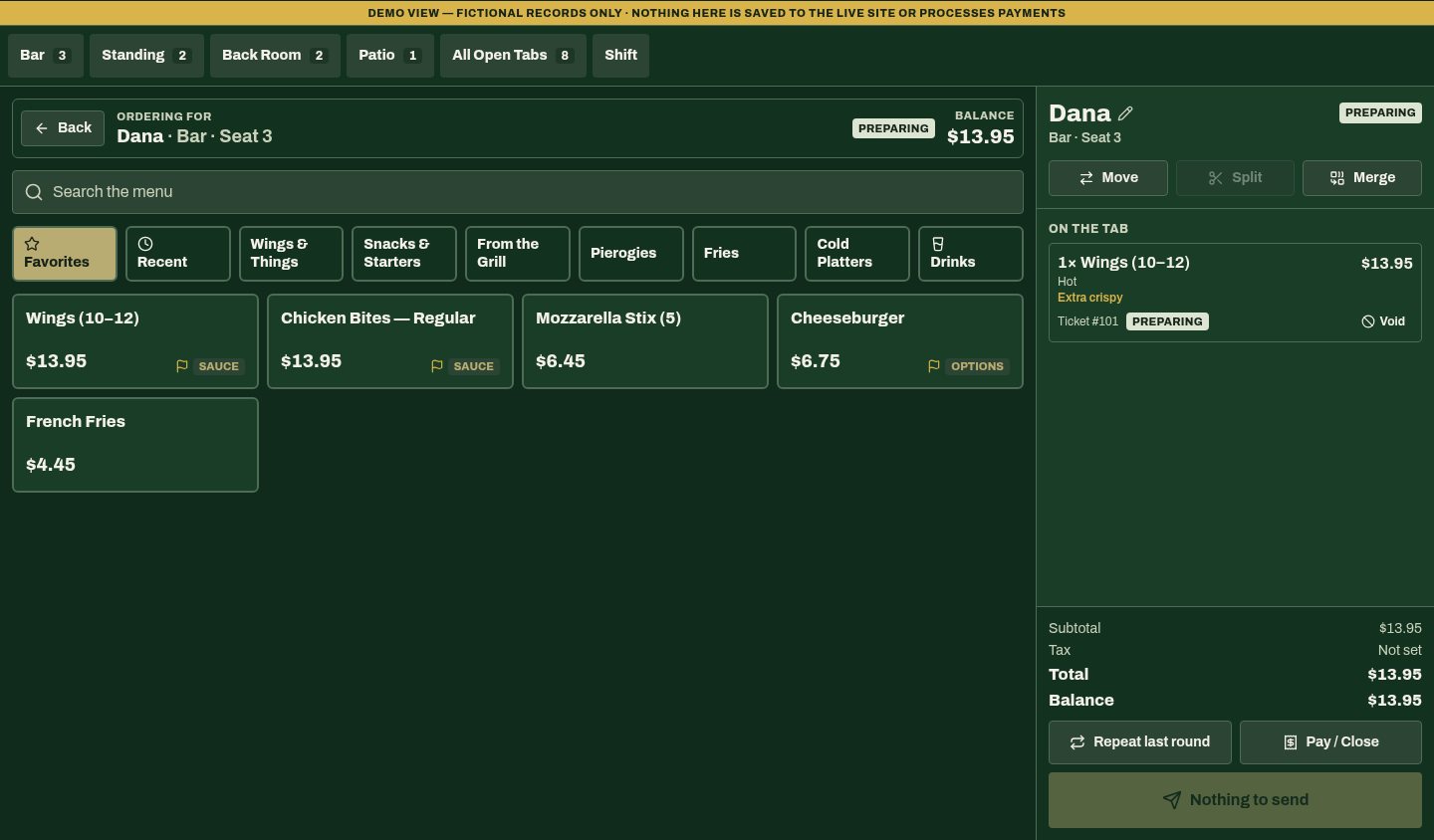
Seat-based tabs, menu search and categories, required sauce and option prompts, repeat-last-round, and move or merge controls built for a busy bar.
Tickets flow through New, Preparing and Ready with allergy alerts and overdue timers. Only new food is sent each round, drinks stay at the bar, and tickets wait safely if the kitchen screen disconnects.
Drag seats and tables across the bar, back room and patio, then rename or renumber them. Open tabs move with their seat, and earlier layouts can be restored.
Running subtotals and balances, recorded payments, and a Pay/Close step that only closes a tab once the full balance is recorded.
Sales, tabs, payments and expenses by period, monthly sales trends and estimated net income, with recipe-based inventory and purchasing forecasts.
A categorized phone-friendly menu and visit guides, plus owner tools for menu updates, printable menus, QR materials and event inquiries.
Open a tab on a bar seat, standing spot, back-room table or patio table.
Add items with required sauces and options, then send food to the kitchen.
The kitchen confirms each ticket, prepares it and marks it ready.
Record the payment, close the tab and see it in owner sales.
Purpose-built staff and owner workspaces cover bartender ordering, kitchen tickets, seating, inventory and sales, alongside owner tools for menus, print materials and event inquiries.
Recipe-based stock deductions with unit conversions, and purchase orders that keep the drafted pack cost when prices change.
Custom owner tools were developed for menu availability, website content, resources, specials and sports listings.
A purpose-built inquiry workspace was developed around event details, guest counts, preferred areas and follow-up status.
Owner tools produce food-menu PDFs, QR images, flyers and table tents from the same structured menu records.
Bartenders, kitchen and owner work from the same orders: tickets reach the kitchen once, tabs stay tied to their seat, and the owner sees sales and stock in context.
Two photographed menus and real patio photography provided the starting point. Terra needed to turn them into an easy-to-navigate hospitality experience that helps guests choose food and plan a visit from their phones.
Terra organized the experience around guest intent: food, wing sauces, sports, patio seating and events. Mobile menu navigation, call actions and directions give each visit a clear next step, supported by location-specific search content.
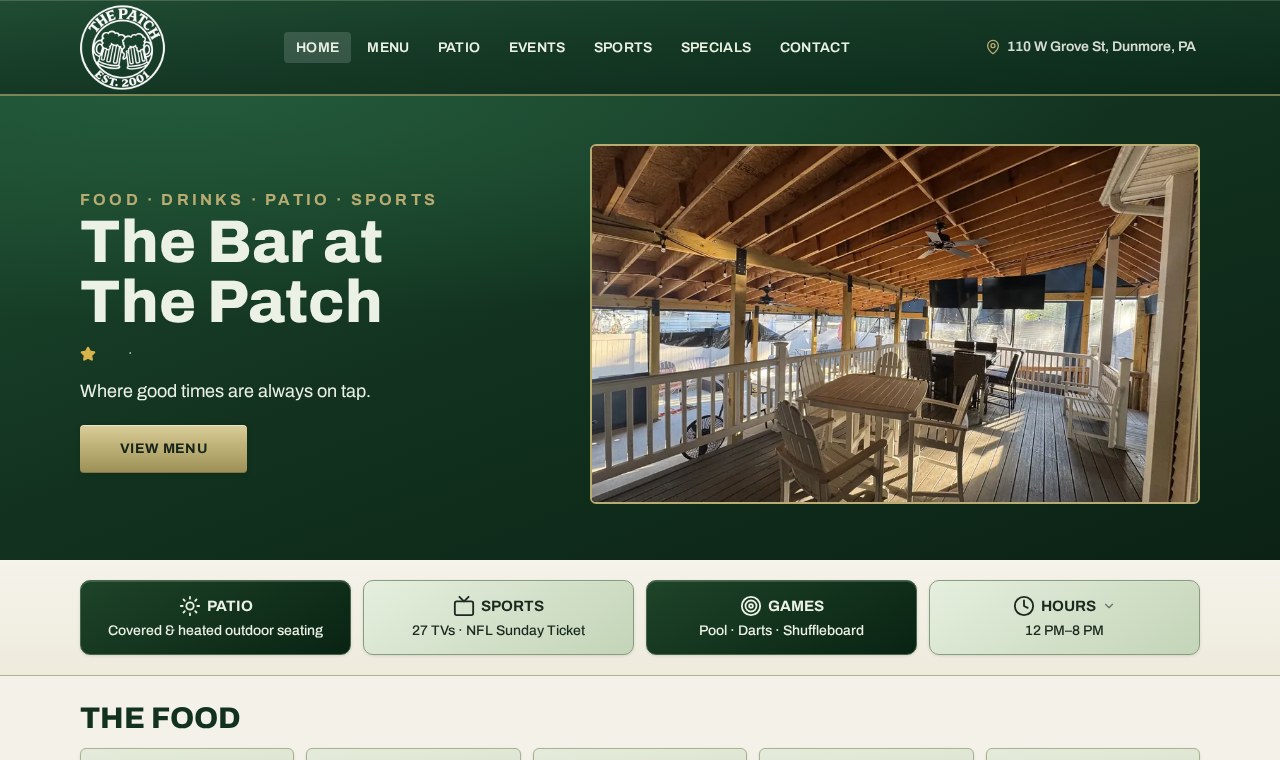
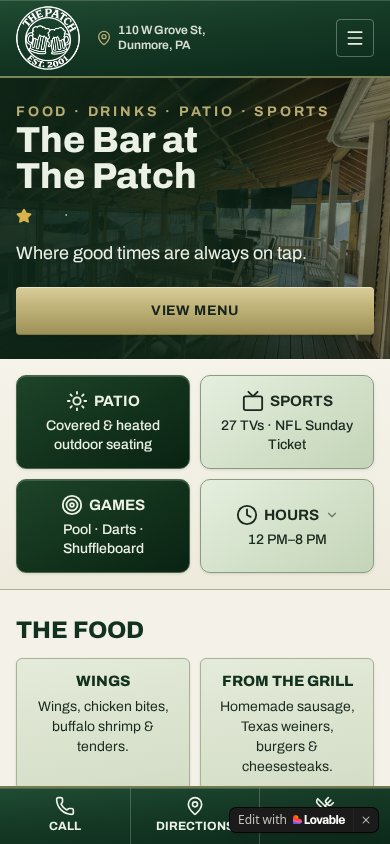
Food, wings, sports, patio, hours and directions are organized around a guest planning a visit—not just a venue homepage. Guests can explore food and venue information, check hours and open directions in one place. Reusable menu data and purpose-built owner tools provide a practical foundation for maintaining the digital experience and preparing print materials.
Category navigation and a mobile action bar made menu browsing easier on a phone. Patio photography gives guests a clear view of the venue, while owner print tools reuse structured food-menu data.
Location-focused titles, descriptions, hours and menu information give wings, sports and venue pages a more specific search foundation.
Custom activity-reporting tools were developed around page views, menu browsing, calls, directions and inquiries, keeping visitor intent central to future website decisions.
Arrive on the homepage or a relevant wings, patio or sports page.
Browse the menu, sauces, venue amenities or game-day information.
Check opening hours and the location before heading out.
Open directions or call the venue directly.
A restaurant and bar management system: a bartender POS with seat-based tabs, a kitchen ticket display, a seating editor, owner sales and inventory dashboards, and a hospitality website with a phone-friendly menu.
Guests browse food categories and plan a visit. Owner tools were developed to reuse menu records for website updates, printable food menus and QR materials.
Tell Terra how your business runs. We'll scope a system around it.